Video ad Text
Gglot potest transcribere tuum video lima in tantum pauci minutes
- 100+linguae & dialecti
- 2GBmax file magnitudine
- AI, vel humanumtranscription tiers
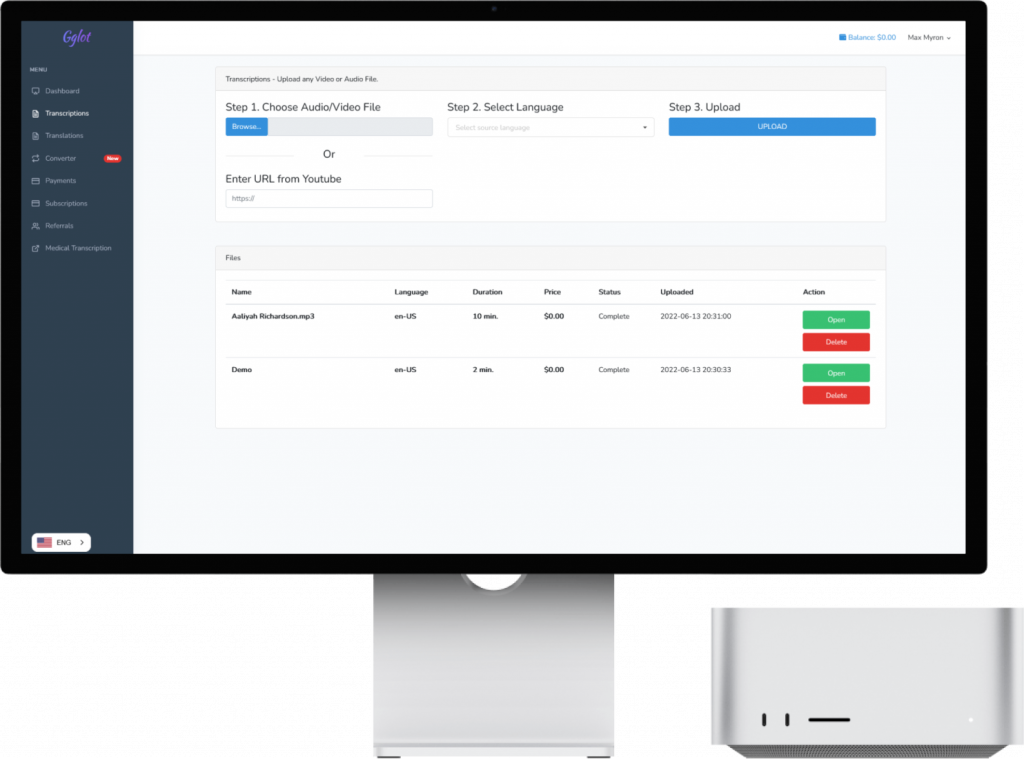

Transcribo Video to Text Automatarie
Gglot te permittit transcribere video ad textum online in minutis, nulla ut instituat. Fasciculum in MP4, MOV, AVI, MKV vel alia forma communi imponunt et nostra AI orationem in textum accuratum, temporis impressum, recensere, investigare et exportare potes.
Utrum opus sit transcribere video ex auditorio, colloquio, recordatione conventus vel episodio podcast, gradus iidem sunt: fasciculum imponunt, linguam in ea locutam elige et transcriptum tuum deprime.
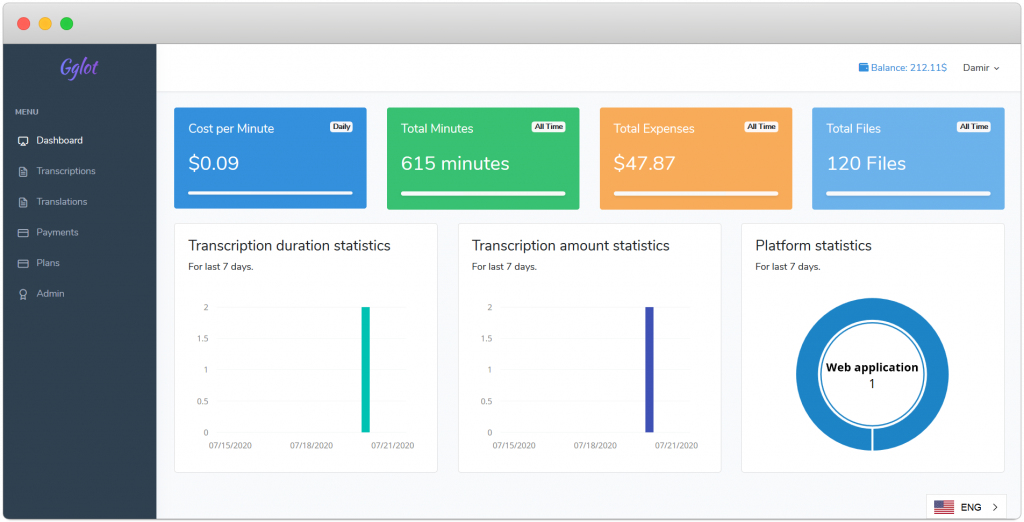

Quomodo video fasciculum ad Textum convertere?
Videos onerare. Trahe in MP4, MOV, MKV vel WMV fasciculum, vel nexum crustulum, tunc elige linguam quae in memoria dicitur.
Gglot transcribere video. Nostra AI orationem ad textum paucis momentis convertit, additis notis et pittaciis loquentis automatice.
Recensio, recensere et exportare. Probatur transcriptum in editore online, servandis quaevis servandis, deinde ut TXT, DOCX, SRT vel VTT exportetur.
Hoc est — tuum video transcribi et ad usum paratum.
Cur Conare GGLOT Video ad Text Transcription Software Online?
Video transcripta investigabilia sunt: cum transcribere video contentum, textus investigabilis fit — quae machinas quaerendi significat eam indicare et lectores actu invenire possunt.
Homines transgrediuntur transcribi video dum pasco argumenta tegit, quia tormenta quaesita keywords in transcripto colligent. Video recordationem per se non perscrutabilem; transcriptum valde est.
Potest adhiberi ss blog content: si non certus es quid deinde edas, transcriptum in novum diarii cursorem nullo fere opere extra editum esse potest.
Etiam uti potes Glotta transcribere video in contentos nummarias pro signatoribus, vel in plures articulos breves in fractione temporis.
Datum circumspectio beneficiorumpaucis momentis ad textum transcribendum bene valet. Servat et tempus et pecuniam.
Beneficia Searchable Video Transcript
Boost Website Traffic cum Transcriptis Searchable: Transcribens videos tuas signanter augere potest negotiatio ad locum tuum, sicut textus lectoribus investigabilis fit. Cum homines telam percurrere contenti ad argumenta tua pertinentia, verisimilius sunt episodia tua transcripta detegere. Quaere machinas indicem keywords ex transcriptis, eas facile inveniendas, dissimiles tabulas video non-investigabiles.
Repropono Transcripta ut Blog Content: Si incertus es quid in tuo blog includas, simpliciter tuum transcriptum video in textum converte et eas tamquam novas epistulas diarii rependere. Hoc minimum conatum requirit et permittit ut constantem rivum contentorum in tuo loco ponere.
Crea Newsletters et Articuli cum Otia: Gglot utendo ad textum transcribendum video, efficaciter generare potes nummarias contentas pro signatoribus tuis vel artificio plures breves articulos brevi tempore.
Serva tempus et pecuniam cum Gglot: Datae multitudinis beneficiorum, utens Gglot ut video transcribere ad textum est electio callida quae te et tempus et pecuniam servare potest. Per streamlining contentum creationis processum, intendere potes ad dilatandum praesentiam tuam online et cum auditoribus tuis efficacius ineunt.
Accessibilitas Content: Transcribens tabellas tuas etiam accessibilitatem contentorum tuorum ampliori auditorio meliorat. Homines cum audiendis incommodis, loquentibus non indigenis, vel iis qui audire malunt legere, nunc accedere et frui videos tuis in forma textus.
Augere Usorum Implicationem et Retentionem: Transcriptiones textuales contenta tua auditiva complent, permittens utentes ut sequantur dum audiunt vel celeriter ad partes specificas revertantur. Hoc ad maiorem implicationem et meliorem retentionem contentorum inter auditores tuos ducere potest.
Simplify Content Repurposing: Habentes tabellas tuas transcriptas numerosas possibilitates aperit pro repurponendo contenta tua per varia suggesta, ut socialis instrumentis, eBooks, et plura. Hoc adiuvat ut notam tuam extendas et valorem contenti tui augeas.